Nederlands
 Deutschland
 Österreich
 Schweiz
 English
 Français
 Čeština
 Dansk
Dansk Español
 Suomi
Suomi Italiano
 Português
 Svenska
 Polski
 Ireland
 Ελληνικά
 Română
 Magyar
 Eesti
Eesti Български
Sustainable Business Practices Using the CSR Performance Ladder
Sustainability is no longer a luxury, but a requirement for staying relevant. Companies must prove that they operate responsibly,...
Read article

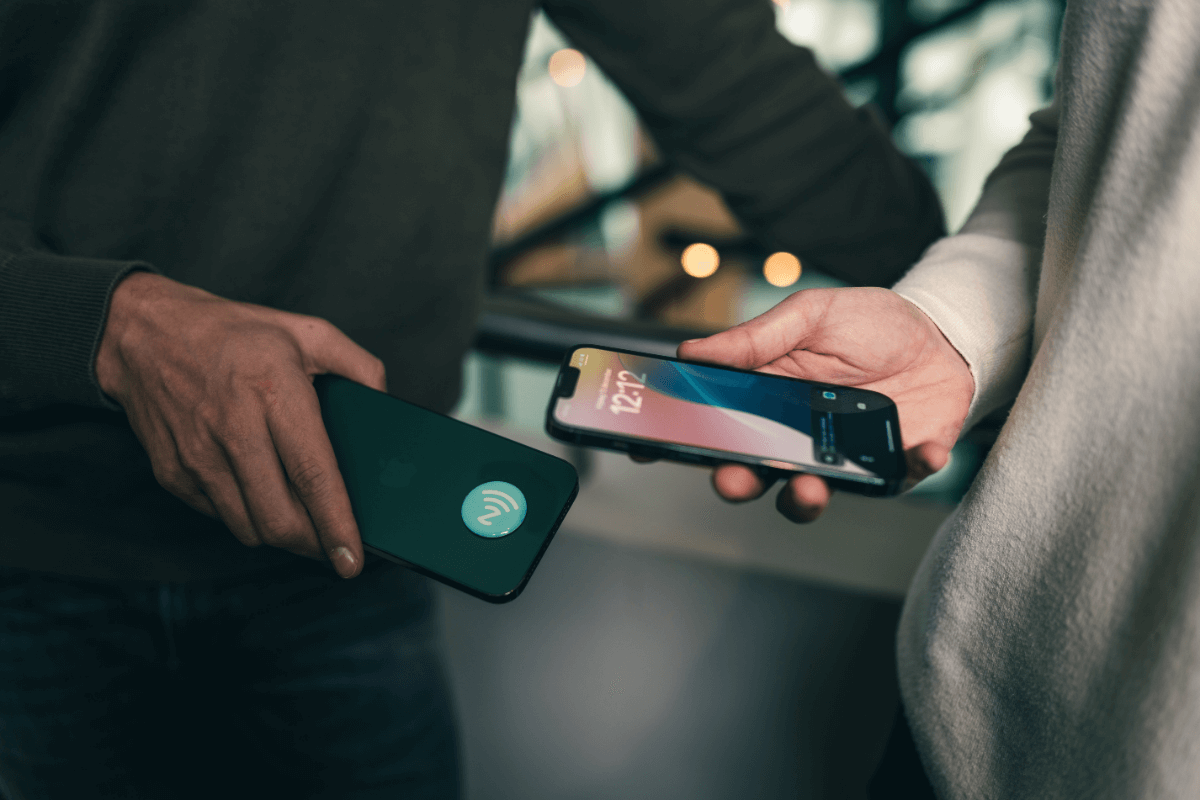
NFC (Near Field Communication) is a technology that allows devices to communicate with each other over short distances. Examples include contactless payments, file sharing, and using NFC tags to automate actions. As a result, NFC is playing an increasingly important role in our daily lives. Having a phone with NFC support opens up a world of convenient and innovative applications.
However, not every phone supports NFC. If you want to know which models do and what you can do with them, keep reading! Want to learn more about NFC? In the article “What is NFC?”, we explain exactly what it is.
Buy NFC tagsA phone with NFC support is useful for everyday activities:
NFC makes life easier, more efficient, and often more fun. But which phones support this technology?
All iPhones starting with the iPhone 6 support NFC, although its capabilities were initially limited to Apple Pay. Starting with iOS 13, this functionality has been expanded, so you can now also read and program NFC tags with newer models.
Samsung was one of the first brands to introduce NFC. Nearly all models in the Galaxy series support this technology. This applies to both the premium Galaxy S and Z series and the more affordable Galaxy A series.
Popular models with NFC support:
Google has included NFC as a standard feature in all Pixel phones. This makes them an excellent choice for Android users looking for versatile NFC functionality.
Popular models with NFC support:
Most OnePlus models starting with the OnePlus 6 support NFC. This applies to both their premium phones and the affordable Nord models.
Popular models with NFC support:
Not all Xiaomi and Redmi phones support NFC, so it’s important to check the specifications carefully. Higher-end models usually have NFC, while budget models sometimes lack this feature.
Popular models with NFC support:
Sony is a major player when it comes to NFC. Virtually all recent Xperia models support this technology.
Popular models with NFC support:
Other brands, such as Huawei, Oppo, and Motorola, also offer models with NFC support. NFC is particularly common in their mid-range and high-end devices.
Not sure if your phone supports NFC? Here’s an easy way to check: on Android, go to Settings and search for “NFC” in the search bar. If this option is available, you can enable NFC. For iPhones, all models starting with the iPhone 6 have NFC, but the features may vary depending on the iOS version. Make sure your phone has the latest updates installed for optimal performance.
Want to make sure your phone supports NFC? You can download an app from the Play Store to check. Go to the Play Store and download the app “Do I Have NFC.” This app is free to download and does nothing but check whether your device supports NFC. Don’t want to download an app? Then you can check your device’s settings. Go to Settings -> Wireless & Networks -> More. If NFC isn’t listed in the settings, your device doesn’t support NFC.
A phone with NFC support offers countless possibilities:
You bet! NFC support has become a standard feature in most modern smartphones and offers great convenience. Whether you want to work more productively, expand your smart home, or impress others with cutting-edge technology, a phone with NFC support is a smart choice.
Don’t have an NFC-enabled phone yet? At NFC World, we not only help you with NFC tags and tools, but we also provide expert advice on compatible devices. That way, you can be sure you’re getting the most out of NFC technology. Want to learn more? Then contact us!
Buy NFC tagsNFC stands for Near Field Communication and is a wireless technology that allows information to be exchanged between two devices simply by holding them close together.
A phone with NFC support offers several benefits, including contactless payments, reading and programming NFC chips, and connecting and automating daily tasks.
Most modern smartphones support NFC technology, including the Apple iPhone 6 and newer models, the Samsung Galaxy S4 and newer models, the Google Pixel and newer models, the Sony Xperia Z3 and newer models, the LG G3 and newer models, the HTC One M8 and newer models, the Huawei Mate 20 and newer models, and the Nokia Lumia 930 and newer models.
For the iPhone 7 and newer models, no separate app is needed to read NFC chips. For models between the iPhone 7 and the iPhone X, an app is required to read NFC. For the iPhone XS or newer, you can read NFC chips without using an app. To program NFC tags with an iPhone, we recommend the “NFC Tools” app, which is available for free download from the Apple Store. You can read an NFC chip and then program it with a specific task, such as a URL, a trigger, or your contact information.