Nederlands
 Deutschland
 Österreich
 Schweiz
 English
 Français
 Čeština
 Dansk
Dansk Español
 Suomi
Suomi Italiano
 Português
 Svenska
 Polski
 Ireland
 Ελληνικά
 Română
 Magyar
 Eesti
Eesti Български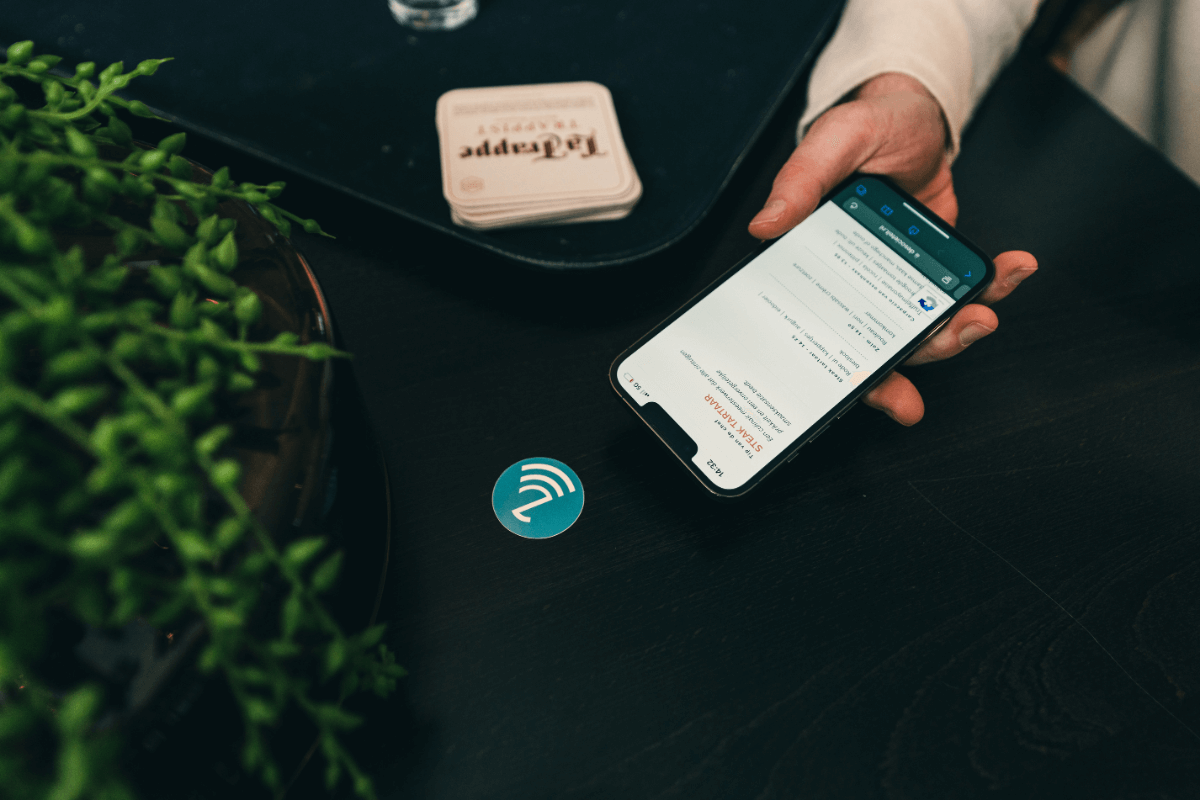
Sustainable Business Practices Using the CSR Performance Ladder
Sustainability is no longer a luxury, but a requirement for staying relevant. Companies must prove that they operate responsibly,...
Read article


NFC (Near Field Communication) is playing an increasingly important role in our lives, and many people want to know which tablets offer this feature. Did you know that your tablet uses NFC to perform various tasks, ranging from transferring information to pairing with other NFC-enabled devices? This highlights the versatile use of NFC in the devices we use every day. While we often associate NFC with smartphones, it’s interesting to explore how NFC works in tablets. In this blog, we’ll take a closer look at the tablets that support this advanced communication feature.
Check out our NFC tagsBefore we highlight the specific models that support NFC, it’s important to understand the benefits of NFC on a tablet. Did you know that newer tablets often come with NFC and are ready to use? This feature can provide convenience and efficiency, particularly when it comes to fast data transfer.
Nowadays, the need for fast and seamless data transfer is more important than ever. NFC lets you exchange photos, videos, contacts, and other files between a tablet and another NFC-compatible device in just a few seconds. This makes sharing information easier and more efficient, especially when you don’t have internet access.
Nowadays, cashless transactions are becoming increasingly common. While smartphones are indeed the primary device for such payments, a tablet with NFC offers the flexibility to serve as a payment method as well. This can be especially useful for professionals who use their tablets for business purposes and want to make or receive payments quickly during meetings or presentations.
The smart home ecosystem is growing exponentially, and since tablets often serve as the control center for such an ecosystem, NFC makes it easier to control various devices. By simply holding your tablet near an NFC tag or device, you can control lights, thermostats, security systems, and more.
NFC is used as an additional layer of security. By pairing your tablet with NFC-compatible security tags or devices, you can require physical authentication, which can enhance the overall security of your data.
In short, the integration of NFC into tablets opens up a world of possibilities, from improved connectivity to enhanced security. It’s no wonder, then, that this technology is increasingly found in the latest tablet models.
| Brand | Models |
| Samsung Galaxy Tab series | Galaxy Tab S7 FE |
| Galaxy Tab S7+ | |
| Galaxy Tab S7 | |
| Galaxy Tab S6 | |
| Galaxy Tab S6 Lite | |
| Galaxy Tab A7 | |
| Galaxy Tab Active3 | |
| Galaxy Tab Active2 | |
| Galaxy Tab Active Pro | |
| Galaxy Tab A 10.1 | |
| Galaxy Tab A 8.0 | |
| Galaxy Tab A 8.4 | |
| Galaxy Tab A 10.5 | |
| Galaxy Tab A 9.7 | |
| Galaxy Tab A 7.0 | |
| Galaxy Tab E 8.0 | |
| Galaxy Tab E 9.6 | |
| Galaxy Tab S5e | |
| Sony Xperia Tablet | Xperia Tablet Z3 |
| Xperia Tablet Z3 LTE | |
| Xperia Tablet Z3 Wi-Fi | |
| Xperia Tablet Z3 SGP611 | |
| Xperia Tablet Z3 SGP612 | |
| Xperia Tablet Z3 SGP621 | |
| Xperia Tablet Z3 SGP641 | |
| Xperia Tablet Z3 SGP651 | |
| Xperia Tablet Z3 SGP771 | |
| Xperia Tablet Z4 | |
| Xperia Tablet Z4 LTE | |
| Xperia Tablet Z4 Wi-Fi | |
| Xperia Tablet Z4 SOT31 | |
| Xperia Tablet Z4 SGP712 | |
| Xperia Tablet Z4 SGP771 | |
| LG G Pad | G Pad 5 10.1 |
| G Pad 5 10.1 FHD | |
| G Pad 5 10.1 QHD | |
| G Pad 5 10.1 QHD Plus | |
| G Pad 5 10.1 Wi-Fi | |
| G Pad 5 8.0 | |
| G Pad 5 8.0 FHD | |
| G Pad 5 8.0 QHD | |
| G Pad 5 8.0 Wi-Fi | |
| G Pad 5 8.0 QHD Plus | |
| Huawei MediaPad | MediaPad M2 |
| MediaPad M2 10.0 | |
| MediaPad M2 7.0 | |
| MediaPad M3 | |
| MediaPad M3 Lite | |
| MediaPad M3 Lite 10 | |
| MediaPad M3 Lite 8 | |
| MediaPad M3 Lite 8.0 | |
| MediaPad M3 Lite 8.4 | |
| MediaPad M3 Lite 10.1 | |
| MediaPad M3 Lite 10.1 Wi-Fi | |
| MediaPad M3 Lite 10 Wi-Fi | |
| MediaPad M3 Wi-Fi | |
| MediaPad M5 | |
| MediaPad M5 Lite | |
| MediaPad M5 Pro | |
| MediaPad M6 | |
| MediaPad T1 7.0 | |
| MediaPad T1 8.0 | |
| MediaPad T2 7.0 | |
| MediaPad T2 7.0 Pro | |
| MediaPad T2 8.0 Pro | |
| MediaPad T3 7.0 | |
| MediaPad T3 8.0 | |
| MediaPad T3 10.0 | |
| MediaPad T5 | |
| Asus ZenPad | Asus ZenPad Z8 |
| Asus ZenPad Z10 | |
| Asus ZenPad 3S 10 LTE | |
| Asus ZenPad 3S 10 Wi-Fi | |
| Asus ZenPad 3S 8.0 | |
| Asus ZenPad 3S 8.0 LTE | |
| Asus ZenPad 3S 8.0 Wi-Fi | |
| Asus ZenPad Z8s ZT582KL |
While these five brands are leaders in integrating NFC into their tablets, there are, of course, other brands and models that support this feature as well. However, this list highlights some of the most prominent and popular options on the market.
As technology advances, it’s important to think ahead and invest in devices that meet both current and future needs. NFC is no longer just a “nice-to-have” feature—it’s increasingly becoming an indispensable feature for many users. It not only enables faster data transfer and contactless payments, but also serves as a bridge to the growing world of the IoT (Internet of Things) and smart devices.
A tablet with NFC ensures you stay connected anytime, anywhere—whether you want to quickly transfer some files or control your smart home devices with a simple tap. By learning how to use NFC on your tablet, you can make the most of your device’s capabilities.
So, are you on the fence about a new purchase? Then consider the benefits of a tablet that supports NFC. It’s not just a step toward the future—it also makes the present much easier and more efficient.
Check out our NFC tags